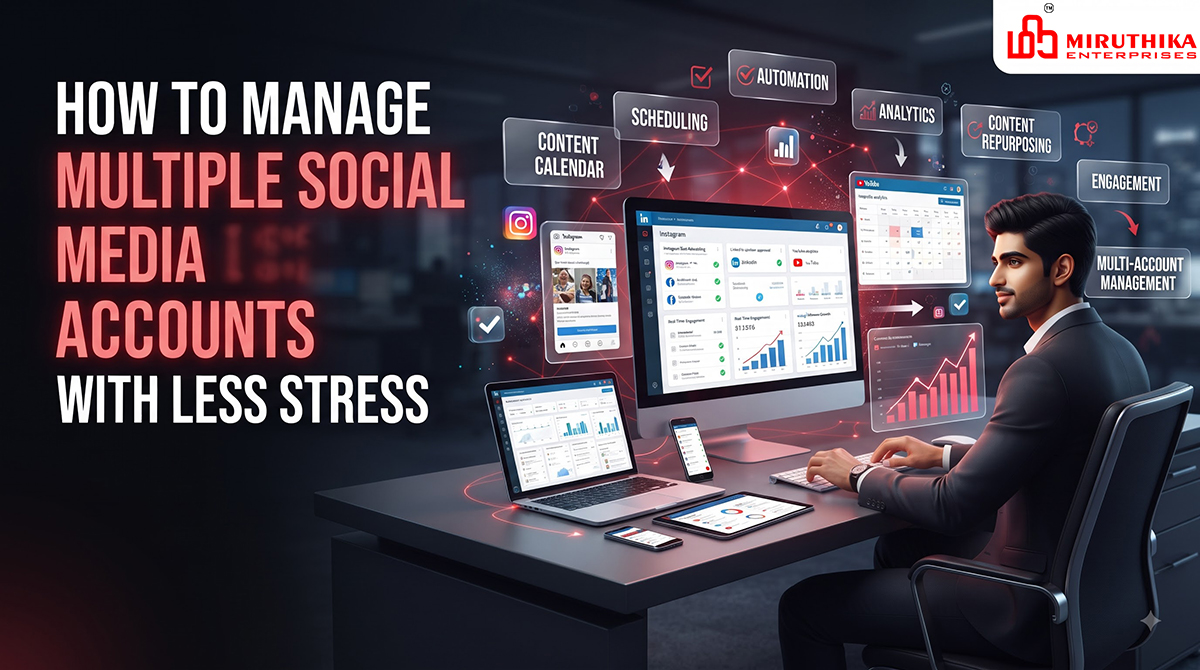
Managing multiple social media accounts can become overwhelming. Businesses often need to maintain their presence across Instagram, Facebook, LinkedIn, YouTube, X, and other platforms while also creating content, responding to customers, checking analytics, and planning campaigns.
Without a proper system, social media management can quickly turn into a daily struggle. The good news is that you do not need to spend your entire day switching between platforms.
With the right strategy, content planning, scheduling tools, and workflows, you can manage multiple social media accounts more efficiently and with less stress.
Why Managing Multiple Social Media Accounts Is Challenging
Every social media platform has different audiences, content formats, algorithms, and posting styles.
For example:
- Instagram focuses heavily on visual content and Reels.
- Facebook supports communities, posts, videos, and local business engagement.
- LinkedIn is more focused on professional and business-oriented content.
- YouTube requires more detailed video planning.
- X is designed around short-form, real-time conversations.
Trying to manage everything manually can lead to missed posts, inconsistent publishing, and unnecessary stress.
Common challenges include:
- Creating content regularly
- Remembering posting schedules
- Responding to comments and messages
- Managing multiple passwords and accounts
- Tracking performance
- Repurposing content
- Planning campaigns
- Maintaining brand consistency
- Keeping up with trends
The solution is not simply to work harder. It is to create a repeatable social media management system.
1. Create a Social Media Strategy
Before managing multiple accounts, decide what each platform is supposed to achieve.
Your social media strategy should define:
- Target audience
- Content goals
- Platform selection
- Posting frequency
- Brand voice
- Content categories
- Campaign objectives
- Key performance indicators
For example, a business could use:
Instagram: Brand awareness and visual content
Facebook: Community engagement and local visibility
LinkedIn: B2B leads and professional content
YouTube: Educational videos and long-form content
Not every business needs to be active on every platform.
Focus on the platforms where your target customers are actually active.
2. Use a Content Calendar
A content calendar is one of the easiest ways to reduce social media stress.
Instead of deciding what to post every morning, plan your content in advance.
A monthly content calendar can include:
| Date | Platform | Content Type | Topic | Status |
|---|---|---|---|---|
| Monday | Reel | Marketing Tip | Scheduled | |
| Tuesday | Post | Business Tip | Draft | |
| Wednesday | Image | Service Highlight | Scheduled | |
| Thursday | Carousel | SEO Tips | Draft | |
| Friday | Article | Industry Insights | Published |
Planning ahead helps prevent last-minute content creation.
3. Create Content in Batches
One of the biggest mistakes in social media management is creating one post at a time.
Instead, dedicate specific time for batch content creation.
For example, you can create:
- 5 Instagram posts
- 3 LinkedIn posts
- 5 Facebook posts
- 2 Reels
- 1 YouTube video
during one planned content session.
Batching allows you to stay focused on one task instead of constantly switching between writing, designing, editing, and publishing.
4. Repurpose Your Content
You do not always need completely different content for every platform.
One strong piece of content can become multiple social media assets.
For example, a blog article about SEO for small businesses can be converted into:
- Instagram carousel
- LinkedIn post
- Facebook post
- Short video
- YouTube Short
- Infographic
- Email newsletter
- Story content
This approach saves time while increasing the value of your original content.
However, avoid copying the exact same format everywhere. Adapt the content to suit each platform.
5. Schedule Posts in Advance
Social media scheduling can significantly reduce daily workload.
Instead of manually posting every day, prepare content ahead of time and schedule it according to your content calendar.
Scheduling helps you:
- Maintain consistency
- Reduce daily workload
- Avoid missed posts
- Plan campaigns
- Maintain posting frequency
- Free up time for engagement
You can schedule content days or weeks ahead depending on your campaign requirements.
6. Maintain a Consistent Brand Identity
When managing multiple social media accounts, consistency is extremely important.
Your audience should be able to recognize your brand regardless of the platform.
Maintain consistent:
- Logo usage
- Brand colors
- Typography
- Visual style
- Tone of voice
- Messaging
- Graphic elements
For example, if your brand uses a particular color palette on Instagram, the same visual identity should appear on LinkedIn, Facebook, and other platforms.
This creates stronger brand recognition.
7. Create Content Templates
Templates can save significant time when managing multiple accounts.
Create reusable templates for:
- Promotional posts
- Educational posts
- Customer testimonials
- Quotes
- Product announcements
- Service highlights
- Blog promotions
- Company updates
- Event announcements
Once your templates are ready, you only need to update the text, image, and relevant information.
This is much faster than designing every post from scratch.
8. Organize Your Content Files
Disorganized files can create unnecessary stress.Manage Multiple Social Media Accounts
Create a clear folder structure such as:
Social Media
- YouTube
- Reels
- Blog Promotions
- Campaigns
- Logos
- Brand Assets
You can also organize files by month:
2026
- August
- September
- October
- November
Use clear file names so you can quickly find what you need.
9. Use a Social Media Management Dashboard
Managing multiple platforms from separate browser tabs can become frustrating.
A centralized social media management system can help you organize:
- Scheduled posts
- Comments
- Messages
- Content calendars
- Analytics
- Campaigns
Instead of repeatedly switching between different platforms, you can manage many activities from one organized workflow.
10. Set Specific Times for Engagement
You do not need to check social media every few minutes.
Constantly checking notifications can interrupt your productivity.
Instead, create specific engagement periods.
For example:
Morning: 15–20 minutes
Afternoon: 15 minutes
Evening: 20 minutes
During these sessions, focus on:
- Replying to comments
- Answering messages
- Responding to mentions
- Checking notifications
- Engaging with relevant accounts
This creates boundaries while ensuring customers still receive timely responses.
11. Prioritize Important Messages
Not every notification requires an immediate response.
Separate interactions into categories such as:
High Priority
- Customer enquiries
- Sales questions
- Complaints
- Support requests
- Business opportunities
Medium Priority
- General questions
- Product comments
- Community discussions
Low Priority
- General reactions
- Non-essential notifications
- Promotional messages
This helps you focus your attention where it matters most.
12. Use a Content Pillar System
Content pillars make planning easier.
Instead of randomly choosing topics every day, create a few consistent content categories.
For a digital marketing company content pillars could include:
- SEO Tips
- Social Media Marketing
- Website Development
- Branding
- Business Growth
Each week, create content around these categories.
This gives your audience a balanced content experience and makes content planning much easier.
13. Track Your Social Media Performance
Posting regularly is not enough.
You also need to understand what is working.
Track metrics such as:
- Reach
- Impressions
- Engagement
- Likes
- Comments
- Shares
- Saves
- Follower growth
- Website clicks
- Leads
- Conversions
You do not need to analyze every metric every day.
A weekly or monthly review is usually more useful for identifying trends.
14. Stop Chasing Every Trend
Social media trends change quickly.
Trying to participate in every trend can increase workload without necessarily improving results.
Before using a trend, ask:
- Is it relevant to my audience?
- Does it match my brand?
- Can it support my business goal?
- Will it provide value?
If the answer is no, skip it.
A consistent content strategy is often more valuable than constantly chasing trends.
15. Automate Repetitive Tasks
Automation can reduce the amount of manual work involved in social media management.
Depending on your workflow, you can automate:
- Post scheduling
- Content reminders
- Reporting
- Content approval notifications
- Publishing workflows
- Performance reports
Automation should support your strategy rather than replace genuine engagement.
Create a Social Media Approval Workflow
If multiple people are involved in managing accounts, establish a simple approval process.
For example:
Content Idea → Content Creation → Review → Approval → Scheduling → Publishing → Performance Tracking
This prevents mistakes such as:
- Incorrect information
- Spelling errors
- Wrong images
- Incorrect links
- Outdated offers
- Unapproved messaging
A simple workflow can make team-based social media management much smoother.
Keep a Social Media Checklist
A checklist helps prevent important tasks from being forgotten.
Before Publishing
- Check spelling
- Verify images
- Confirm links
- Check hashtags
- Confirm branding
- Review CTA
- Check platform formatting
After Publishing
- Monitor comments
- Respond to messages
- Track engagement
- Record important results
A simple checklist can save time and reduce mistakes.
Avoid Trying to Do Everything Yourself
As the number of social media accounts grows, managing everything alone may become inefficient.
You can divide responsibilities between:
- Content writers
- Graphic designers
- Video editors
- Social media managers
- SEO specialists
- Marketing strategists
Even if you are a small business, outsourcing specific tasks can free up time for core business activities.
Focus on Quality Over Quantity
Managing multiple social media accounts does not mean posting constantly.
A smaller number of valuable posts can be more effective than publishing low-quality content every day.
Focus on creating content that:
- Educates
- Solves problems
- Answers customer questions
- Builds trust
- Demonstrates expertise
- Encourages engagement
- Supports business goals
Quality and consistency should be the priority.
Review Your Strategy Every Month
Your social media strategy should not remain unchanged forever.
At the end of each month, review:
- Best-performing posts
- Worst-performing content
- Engagement trends
- Follower growth
- Website traffic
- Leads generated
- Content formats
- Platform performance
Then adjust your strategy based on the results.
For example, if educational Reels generate significantly more engagement than promotional posts, you can increase educational video content.
Common Social Media Management Mistakes
Avoid these common mistakes when managing multiple accounts:
- Posting without a strategy
- Using the same content everywhere
- Ignoring comments and messages
- Posting inconsistently
- Focusing only on follower count
- Using too many hashtags
- Ignoring analytics
- Chasing every trend
- Having inconsistent branding
- Creating content at the last minute
- Not scheduling posts
- Failing to repurpose content
Avoiding these mistakes can make social media management more efficient and sustainable.
A Simple Weekly Social Media Workflow
Here is a practical workflow for managing multiple accounts.
Monday – Planning
Review analytics and plan the week’s content.
Tuesday – Content Creation
Create graphics, captions, videos, and other content.
Wednesday – Review
Check content for accuracy, branding, and quality.
Thursday – Scheduling
Schedule approved content across platforms.
Friday – Engagement
Respond to comments, messages, and customer enquiries.
Weekend – Analysis
Review performance and identify content opportunities for the following week.
This approach creates a predictable workflow instead of daily chaos.
How to Manage Social Media With Less Stress
The key is to stop treating social media as a collection of individual tasks.
Instead, build a system.
Use:
- A content calendar
- Content pillars
- Batch creation
- Reusable templates
- Scheduling
- Content repurposing
- Organized file storage
- Engagement time blocks
- Analytics tracking
- Monthly strategy reviews
When these systems work together, managing multiple social media accounts becomes much more manageable.
Conclusion
Managing multiple social media accounts does not have to be stressful. The biggest difference comes from having a clear strategy and organized workflow.
Instead of creating content at the last minute, plan ahead. Instead of creating completely different content for every platform, repurpose valuable ideas. Instead of checking notifications constantly, create dedicated engagement periods.
Most importantly, focus on the platforms and content formats that actually contribute to your business goals.
With the right combination of planning, scheduling, automation, content repurposing, consistent branding, and performance tracking, you can manage multiple social media accounts efficiently while spending less time feeling overwhelmed.
About the Author